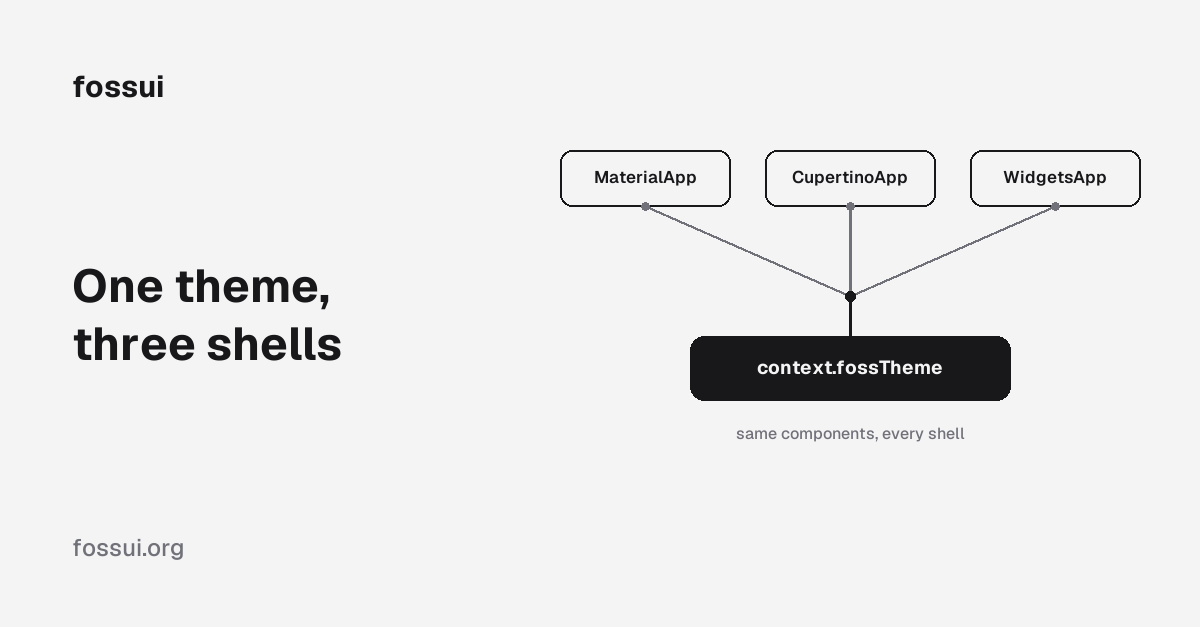
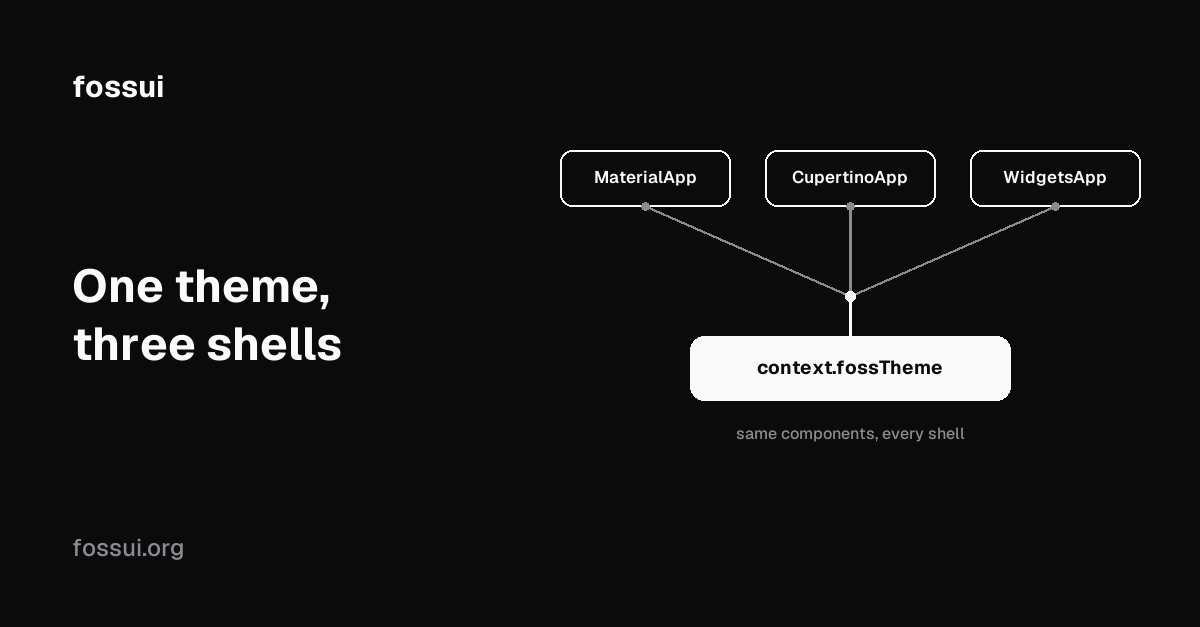
One theme, three shells: Material, Cupertino, bare
July 26, 2026
Most Flutter component libraries only run one way: inside a MaterialApp,
reading Theme.of(context), assuming a ColorScheme is somewhere above them.
That is one app shell out of three Flutter actually ships. fossui's components
do not pick a side. The same FossButton, the same FossSwitch, the same
FossTextField render identically whether the app root is MaterialApp,
CupertinoApp, or a bare WidgetsApp, because they read their own theme first.
This is how that actually works, down to the resolution order, with a full example of one screen rendered unchanged under all three shells.
Three shells, one of which has a theme system already
Theme.of(context) walks up the tree looking for a Theme InheritedWidget, which
MaterialApp installs for you. Skip MaterialApp and there is nothing to find:
CupertinoApp(
  home: Builder(
    builder: (context) {
      final theme = Theme.of(context); // throws: no Material ancestor
      return const SizedBox();
    },
  ),
);
CupertinoApp has its own CupertinoThemeData, a separate system with a
different shape (primaryColor, barBackgroundColor, no radius or spacing
scale). A bare WidgetsApp has no theme system at all. So a design system that
only reads Theme.of(context) is a Material-only design system, whatever the
docs call it.
How fossui breaks the dependency
Every fossui widget reads tokens through one accessor, context.fossTheme, never
Theme.of(context) directly. The accessor tries three sources, in order, and
returns the first hit:
extension FossThemeContext on BuildContext {
  FossThemeData get fossTheme =>
      FossTheme.maybeOf(this) ??
      Theme.of(this).extension<FossThemeData>() ??
      FossThemeData.light;
}FossTheme, a plainInheritedWidget. No Material required. This is how the Cupertino and bare shells supply the theme.- A
FossThemeDataregistered inThemeData.extensions. Material's own extension mechanism,ThemeExtension, built for exactly this: attaching third-party tokens toThemeDatawithout Material needing to know they exist. FossThemeData.light, so a component never crashes for want of a theme. It falls back quietly, which is convenient and also the first common mistake below.
Same call, three possible sources, and every component uses it identically. The component tree does not know or care which shell it is under.
Register under any shell
MaterialApp
Wrap the theme as an extension. toThemeData() does exactly one thing: it
returns ThemeData(extensions: [this]). It does not restyle a single Material
widget, so an ElevatedButton two lines below a FossButton looks exactly as it
did before you added fossui.
MaterialApp(
  theme: FossThemeData.light.toThemeData(),
  darkTheme: FossThemeData.dark.toThemeData(),
  home: const HomePage(),
);
CupertinoApp
CupertinoApp has no extensions slot, Cupertino's theme system is unrelated.
Supply fossui's theme as a widget instead, in builder, so it wraps every route:
CupertinoApp(
  builder: (context, child) => FossTheme(
    data: FossThemeData.light,
    child: child!,
  ),
  home: const HomePage(),
);
A bare WidgetsApp
No Material, no Cupertino, just widgets.dart. Same FossTheme wrapper. A bare
WidgetsApp does need a pageRouteBuilder if you pass home directly (an
assert enforces it), and PageRouteBuilder itself lives in widgets.dart, so
this stays Material-free:
WidgetsApp(
  color: const Color(0xFFFFFFFF),
  pageRouteBuilder: <T>(settings, builder) => PageRouteBuilder<T>(
    settings: settings,
    pageBuilder: (context, animation, secondaryAnimation) => builder(context),
  ),
  builder: (context, child) => FossTheme(
    data: FossThemeData.light,
    child: child ?? const SizedBox.shrink(),
  ),
  home: const HomePage(),
);
MaterialApp CupertinoApp / bare WidgetsApp
│ │
theme: FossThemeData FossTheme(data: ..., child: ...)
.light.toThemeData() │
│ │
└───────────────────┬─────────────────┘
▼
context.fossTheme
│
same FossButton, FossSwitch,
FossTextField... unchangedWhichever shell you pick, HomePage itself never imports material.dart and
never checks which shell it is under. That is the point: the fork happens once,
at the root, not inside every screen.
Read tokens the same way everywhere
context.fossTheme returns a FossThemeData with six token bundles, identical
whichever source resolved it:
final t = context.fossTheme;

t.colors.primary   // Color
t.radii.lg         // double   (10)
t.spacing(2)       // double   (8)
t.typography.sm    // TextStyle
t.shadows.md       // List<BoxShadow>
t.motion.overlay   // Duration
Twenty-six color roles (background / foreground, card / cardForeground,
primary / primaryForeground, status roles like destructive and success,
plus border, input, ring), a five-step radius scale, a spacing unit, a
six-step type scale, four shadow levels, and named motion durations for the
things that animate (overlay, drawer, toast, caretBlink, and so on). Same
shape under every shell, because it is the same FossThemeData object.
Retheme globally
FossThemeSpec layers a compact set of overrides over a base theme: enumerated
color roles plus single seeds for radius, spacing, shadowColor, and
fontFamily. This works identically regardless of which shell you registered
under, since retheme operates on FossThemeData, not on MaterialApp:
final theme = FossThemeData.light.retheme(
  const FossThemeSpec(
    primary: Color(0xFF16A34A),
    ring: Color(0xFF16A34A),
    radius: 22,
    fontFamily: 'Plus Jakarta Sans',
  ),
);

// Material
MaterialApp(theme: theme.toThemeData());

// Cupertino or bare
FossTheme(data: theme, child: const MyApp());
One retheme call, then pass the result down whichever wrapper your shell needs.
Toggling light and dark without themeMode
Under MaterialApp, themeMode handles the light/dark switch for you.
CupertinoApp and bare WidgetsApp have no such concept, since FossTheme is
just a widget, so you own the switch yourself, the same way you would own any
other piece of app state:
class ThemedApp extends StatefulWidget {
  const ThemedApp({super.key});

  @override
  State<ThemedApp> createState() => _ThemedAppState();
}

class _ThemedAppState extends State<ThemedApp> {
  bool _dark = false;

  @override
  Widget build(BuildContext context) {
    return CupertinoApp(
      builder: (context, child) => FossTheme(
        data: _dark ? FossThemeData.dark : FossThemeData.light,
        child: child!,
      ),
      home: HomePage(onToggleTheme: () => setState(() => _dark = !_dark)),
    );
  }
}
FossTheme.updateShouldNotify compares the FossThemeData by value, so this
setState rebuilds every fossui widget below it in one frame, same as flipping
themeMode does under Material.
Common mistakes
- Forgetting the
FossThemewrapper under Cupertino or bare. Nothing crashes.context.fossThemesilently falls through toFossThemeData.light, so the app renders in light mode and looks "fine" until you go looking for why dark mode never applied. If a rethemed color or a dark palette is not showing up, check thatFossThemeis actually an ancestor before checking anything else. - Calling
Theme.of(context)directly from a bareWidgetsApp. This is the exact call fossui avoids. It throws immediately with no Material ancestor. Route everything throughcontext.fossTheme, neverTheme.of. - Expecting
FossThemeto carry general app theming. It carries fossui's six token bundles and nothing else, noTextTheme, noIconThemeData. It is a narrow, single-purposeInheritedWidget, not a MaterialThemeDatareplacement. - Wrapping
FossThemebelowMaterialApp.builderinstead of usingtheme:. Both work,FossThemealways wins over theThemeData.extensionspath in the resolution order, but doing it viatheme:is simpler under Material and keeps the extension registered for any package that expects it there.
Why this works: the one Material import
fossui is framework-agnostic, but not by refusing to touch Material at all. One file imports exactly two symbols from it:
import 'package:flutter/material.dart' show Theme, ThemeExtension;ThemeExtension is the mechanism FossThemeData implements, and it happens to
live in material.dart with no widgets.dart equivalent. Theme.of is the
lookup used only as the second, optional resolution step. Neither drags in a
single Material widget, a ColorScheme, or a MaterialApp requirement. That
scoped show import is the entire surface area where fossui touches Material,
and it is why the same six token bundles resolve whether or not Material is in
the tree at all.
A full example: same screen, three shells
One HomePage, unmodified, rendered under all three app shells. No Scaffold
(Material-only), no CupertinoPageScaffold (Cupertino-only): a plain
ColoredBox and SafeArea instead, so the screen itself has no shell
dependency either.
class HomePage extends StatefulWidget {
  const HomePage({this.onToggleTheme, super.key});

  final VoidCallback? onToggleTheme;

  @override
  State<HomePage> createState() => _HomePageState();
}

class _HomePageState extends State<HomePage> {
  bool _notify = true;

  @override
  Widget build(BuildContext context) {
    final t = context.fossTheme;
    return ColoredBox(
      color: t.colors.background,
      child: SafeArea(
        child: Padding(
          padding: t.spacing.all(6),
          child: Column(
            crossAxisAlignment: CrossAxisAlignment.start,
            mainAxisSize: MainAxisSize.min,
            children: [
              FossText.title('Settings'),
              SizedBox(height: t.spacing(4)),
              Row(
                children: [
                  FossSwitch(
                    value: _notify,
                    onChanged: (v) => setState(() => _notify = v),
                  ),
                  SizedBox(width: t.spacing(3)),
                  const Text('Email notifications'),
                ],
              ),
              SizedBox(height: t.spacing(6)),
              FossButton(onPressed: widget.onToggleTheme, child: const Text('Save')),
            ],
          ),
        ),
      ),
    );
  }
}
Now three entry points, each a handful of lines, each producing the identical screen:
// main_material.dart
void main() => runApp(
  MaterialApp(
    theme: FossThemeData.light.toThemeData(),
    darkTheme: FossThemeData.dark.toThemeData(),
    home: const HomePage(),
  ),
);

// main_cupertino.dart
void main() => runApp(
  CupertinoApp(
    builder: (context, child) => FossTheme(
      data: FossThemeData.light,
      child: child!,
    ),
    home: const HomePage(),
  ),
);

// main_bare.dart
void main() => runApp(
  WidgetsApp(
    color: const Color(0xFFFFFFFF),
    pageRouteBuilder: <T>(settings, builder) => PageRouteBuilder<T>(
      settings: settings,
      pageBuilder: (context, animation, secondaryAnimation) => builder(context),
    ),
    builder: (context, child) => FossTheme(
      data: FossThemeData.light,
      child: child ?? const SizedBox.shrink(),
    ),
    home: const HomePage(),
  ),
);
HomePage never changes across the three files. That is the actual claim behind
"one theme, three shells": not that fossui merely runs on Cupertino or a bare
WidgetsApp, but that the same components, the same screen, and the same theme
object work under all three without a single line changing in between.
What to expect
fossui is young and mobile-first: mobile is what gets tested. Web and desktop
compile under all three shells and should work, but they are less exercised, so
verify on the platforms you ship. The resolution order and the FossTheme
mechanism are stable regardless, since neither is platform-specific, only
component polish is.
If you want the token catalog in full, the theming docs cover all six families with every field. If you are migrating an existing Material app instead of starting fresh, the migration guide covers the widget-by-widget swap.